
Extending Tessa
Tessa deliberately has no plugin VM and no JavaScript configuration runtime. Extensions are ordinary processes that speak the compositor’s Unix-socket API. That keeps the core small, makes extensions possible in any language, and avoids loading untrusted code into the compositor process.
The socket is created with mode 0600 under $XDG_RUNTIME_DIR (normally
tessa.sock). The same user can run any command through the API, exactly as if
they had run it in a terminal.
tessa-ctl
Section titled “tessa-ctl”tessa-ctl is the reference client. It is installed next to tessa and
tessa-panel.
tessa-ctl state # one snapshottessa-ctl hello # line protocol version/capabilitiestessa-ctl config # effective configuration + rulestessa-ctl config-check [file] # validate current or candidate configtessa-ctl config-diff file # preview effective changestessa-ctl config-edit [file] # edit, validate, diff, applytessa-ctl perf [--json] [--reset] # render-commit frame timingstessa-ctl events # stream all eventstessa-ctl events window-focus # stream one topictessa-ctl workspace 3 # focused outputtessa-ctl workspace 3 HEADLESS-2 # a specific outputtessa-ctl spawn foot -T notestessa-ctl launcher fire # query is optionaltessa-ctl panel calendar # toggle a panel popovertessa-ctl panel clipboard # clipboard historytessa-ctl panel screenshot # region/full screenshot UItessa-ctl panel media # MPRIS controlstessa-ctl panel tray # StatusNotifier traytessa-ctl panel audio # volume controlstessa-ctl shell # panel and external shell role ownershiptessa-ctl notify-action 12 reply # invoke a notification actiontessa-ctl panel power HEADLESS-2 # target a specific outputtessa-ctl layout grid # set/cycle current workspace layouttessa-ctl mode resize # switch input modetessa-ctl resize 40 30 # grow the focused floating windowtessa-ctl dispatch reload # any compositor commandtessa-ctl quitdispatch adds CMD and sends the rest of the line as a compositor command.
The socket path is $TESSA_IPC, or $XDG_RUNTIME_DIR/tessa.sock.
Panel modules and theme tokens
Section titled “Panel modules and theme tokens”The built-in panel exposes its catalogue without a running compositor:
tessa-panel --list-modules # text cataloguetessa-panel --list-modules --json # machine-readable registrytessa-panel --theme-json # resolved semantic tokens--list-modules distinguishes core modules from context modules. The context
modules layout, groups, mode, and effects read compositor state over the
existing IPC snapshot; they do not start a second shell process. External
modules use this same registry and the declarative entry below instead of
starting a second shell process.
Declarative panel widgets
Section titled “Declarative panel widgets”The status entry is the external widget protocol. A process owns its state and
pushes a declarative pill over IPC:
tessa-ctl status weather "18C" --icon "☀" --priority 80 \ --popover ~/.cache/tessa/weather.uitessa-ctl status weather --clearstatus fields are id, text, icon, priority, an optional click command
(--exec), and an optional popover file (--popover). Higher priorities stay
visible when the bar is narrow; hidden entries are represented by a +N pill.
State text and JSON include the icon, priority, and popover path.
examples/panel-widget.sh is a runnable status-only reference.
Widget popovers
Section titled “Widget popovers”A popover file is a tiny declarative UI. The panel reads it when the widget is clicked, renders it with the active theme, and runs action commands itself:
title = Tokyobody = Clear, 18 C, light windaction = Refresh | ~/.config/tessa/widgets/weather/refresh.shaction = Forecast | xdg-open https://weather.example/titleandbodyare single lines;bodymay be omitted.action = Label | commandadds a row. Up to eight actions are read. Commands run through the compositor’s normal spawn path. A row without|is shown as information and has no command.- Relative paths are resolved by the process that writes the file; pass an
absolute path (or
$XDG_RUNTIME_DIR/...) to--popover. - The panel does not watch the file. Rewrite it and re-publish the status entry when the content changes; clicking again reloads it.
tessa-ctl panel module <widget-id> opens the same popover without clicking,
which is useful while developing a module. tessa-panel --popover-check <file>
parses a file and prints its title/actions without starting the panel.
examples/panel-popover.sh writes a complete example and publishes it.
The widget model is intentionally declarative: it has no in-panel code and no custom drawing API. Popovers cover the common list/action surface; richer surfaces can open their own layer-shell client while the bar entry keeps the same identity, priority, and state model.
--theme-json exports resolved colors, fonts, bar geometry, and effect
switches. External shells can consume it to match Tessa without importing
Tessa’s config format. Panel-only settings are resolved first, so the JSON
reflects output rules and theme roles.
Use tessa-ctl shell to inspect shell role ownership while a session is
running. It prints PANEL and ROLE lines for background, bar, launcher,
popovers, notifications, and tray, followed by EXTERNAL entries for non-Tessa
layer-shell clients. This makes partial coexistence explicit instead of
requiring a guess about which shell owns a surface.
State and subscriptions
Section titled “State and subscriptions”A newly accepted connection receives nothing until it subscribes. The panel sends:
CMD subscribe allOther clients can choose:
CMD subscribe state # snapshots onlyCMD subscribe events # events onlyCMD state # request one snapshot without subscribingSnapshots are line-oriented and end with END. STATE begins a new snapshot;
the panel reconstructs its entire bar from each snapshot. CONFIG is a separate
request/response snapshot used by tessa-ctl config; it contains effective
settings, layout_ws/workspace_tuning lines for each workspace, rule <raw>
and layer_rule <raw> lines. The most useful state lines are:
MODE defaultOUT HEADLESS-1 3 1 gridFOCUSED 7STATUS weather Tokyo 18C ☀ 80WIN 7 3 1 0 0 foot notes HEADLESS-1 40 30 1100 700 0 1 0 0 1 0 0LAYER tessa-bar HEADLESS-1 2 0.940 12 1MODE is the active input mode. OUT is name workspace focused layout.
WIN fields are tab-separated in this order: id,
workspace, focused, floating, fullscreen, escaped app_id, escaped title, output,
x, y, width, height, scratchpad, visible, group id, group-active, on-screen,
scrolling column id, and 0-based tile index. Geometry is in logical compositor
coordinates and is included for tooling that tracks windows. LAYER is
namespace, output,
layer number (0 background … 3 overlay), effective opacity, effective
corner radius, and effective blur (0/1). PANEL is output, panel pid,
supervised (0/1), and notification-owner (0/1). STATUS is id, escaped
text, click command, icon, and priority; older consumers can ignore the last
two fields.
JSON snapshots
Section titled “JSON snapshots”For tools, state and effective configuration are available as versioned JSON. The text commands still work:
CMD state-jsonSTATE_JSON{"schema":1,"active_workspace":1,"mode":"default","outputs":[...],"occupancy":[...],"focused":7,"statuses":[...],"windows":[...]}END
CMD config-jsonCONFIG_JSON{"schema":1,"errors":0,"terminal":"kitty",...,"layouts":[...],"workspace_tuning":[...],"rules":[...],"hooks":[...],"diagnostics":[]}END
tessa-ctl state --json and tessa-ctl config --json print only the JSON line.
STATE_JSON and CONFIG_JSON are framing markers, not part of the JSON.
State JSON includes the active mode, active_workspace_name, and a
nine-element workspace_names array; the line protocol adds
WORKSPACE <n> <name> lines for named workspaces. Config JSON includes a
modes array and the same workspace_names array. schema is currently 1;
consumers should reject unknown versions.
State windows contain id, workspace, focused, floating, fullscreen,
urgent, scratchpad, visible, group, group_active, app_id, title,
output, x, y, width, height, and the effective decoration fields
opacity, border_width, corner_radius, blur, and shadow. They also
carry tint (RGBA array), an animation object (open_ms, workspace_ms,
close_ms, open_curve, workspace_curve, close_curve; -1 and empty
strings mean “unset”), tearing, on_screen, column, and tile. The text
WIN line ends with scratchpad, visibility, group id, group-active, on-screen,
column, and tile, but has no tint or animation fields.
The layers array contains namespace, output, layer, opacity,
corner_radius, and blur for mapped layer-shell surfaces. Config
diagnostics entries contain severity, path, line, and message.
tessa-ctl dispatch urgent <id> on|off toggles the urgency flag sent to layout
helpers. CMD workspace and CMD move-workspace accept a workspace name as
well as a number. Group control uses CMD toggle-group, CMD group-next,
CMD group-prev, CMD group-add, and CMD group-remove.
Config JSON also exposes event_rules, profiles, theme_roles,
output_rules, layer_rules, input_rules, the corresponding counts, and
cursor_theme / cursor_size. Rule arrays currently contain each rule’s
validated raw text. Each curves entry has a kind of bezier or spring;
bezier entries include points, spring entries include damping and
frequency.
JSON-RPC
Section titled “JSON-RPC”The same socket accepts JSON-RPC 2.0 requests as single-line JSON objects. The line protocol remains available; a connection can use either style.
{"jsonrpc":"2.0","id":1,"method":"hello"}{"jsonrpc":"2.0","id":7,"method":"state"}{"jsonrpc":"2.0","id":"cfg","method":"config"}{"jsonrpc":"2.0","id":"sub-1","method":"subscribe"}Responses are {"jsonrpc":"2.0","id":<request id>,"result":...} and errors use
standard JSON-RPC codes. Supported methods are hello / capabilities,
ping, state, config, subscribe, and unsubscribe. hello returns
protocol: "tessa-jsonrpc", version: 1, line_protocol: 1,
tessa: "0.2.5", extension_api: 1, layout_api: 2, effect_api: 2, and the
capabilities state, config, events, subscriptions, request-ids,
extensions, and effects2. State/config JSON also carries schema: 1,
tessa, and the API versions.
After subscribe, every lifecycle event is sent as a notification:
{"jsonrpc":"2.0","method":"event","params":{"name":"window-open","id":7,"ws":1,"app":"foot","title":"notes","output":"eDP-1","subscription":"sub-1"}}subscription is the serialized request id. Events are best-effort; a slow
client is disconnected rather than blocking the compositor. Mutation remains
on the line command plane.
Text CMD config also includes diagnostics in this human-readable form:
diagnostic error /home/you/.config/tessa/config:12: unknown key 'widht'A reload with errors is rejected and keeps the previous configuration.
tessa-ctl config-check prints diagnostics and exits non-zero while errors
remain. It checks the most recently loaded or rejected configuration, so run a
reload after editing.
Events
Section titled “Events”Events are key/value records. Tabs separate fields and values are escaped
(\, \t, \n, \r). The first two fields are always EVENT and the topic:
EVENT window-focus id=7 previous=0 ws=3 app=foot title=notes output=HEADLESS-1EVENT workspace-change ws=4 previous-ws=3 output=HEADLESS-1EVENT launcher arg=fire output=HEADLESS-1EVENT panel arg=calendar output=HEADLESS-1EVENT panel arg=clipboard output=HEADLESS-1EVENT panel arg=screenshot output=HEADLESS-1EVENT panel arg=media output=HEADLESS-1EVENT panel arg=tray output=HEADLESS-1EVENT panel arg=audio output=HEADLESS-1EVENT panel arg=extensions output=HEADLESS-1EVENT special-change ws=3 output=HEADLESS-1 arg=notesEVENT notification-action id=12 action=replyFields are omitted when they do not apply. id and previous are ids; ws and
previous-ws are workspace numbers; app, title, output, and arg are
strings. The window-focus topic with id=0 means focus was cleared; previous
names the window that lost focus. notification-action is broadcast to every
event subscriber (there is no per-output routing); it carries no output
field, so receivers filter by notification id.
| Topic | When | Useful fields |
|---|---|---|
startup |
Backend started, XWayland launched | — |
shutdown |
Event loop is leaving | — |
window-open |
A toplevel is mapped | id, ws, app, title, output |
window-close |
A mapped toplevel is destroyed | id, ws, app, title, output |
window-focus |
Window focus changes or clears | id, previous, ws, app, title, output |
workspace-change |
An output changes workspace | ws, previous-ws, output |
special-change |
Special workspace shown/hidden or window moved | ws, output, arg (name; omitted when restoring) |
window-moved |
Window sent to another workspace | id, ws, previous-ws, app, title, output |
layout-change |
Workspace layout changed | ws, output, arg |
mode-change |
Active input mode changed | arg (mode name) |
config-reload |
Config successfully reloaded | — |
launcher |
Launcher requested | arg (query), output |
panel |
A panel popover was requested | arg (calendar, power, clipboard, screenshot, media, tray, audio, extensions, or module <widget-id>), output |
notification-action |
A notification action was requested through IPC | id, action (action key) |
output-added |
Output initialized | output, arg (geometry) |
output-removed |
Output removed | output, arg (geometry) |
animation-start |
Window open or workspace slide starts | id, ws, output, arg (open or workspace) |
animation-done |
Window open or workspace slide finishes | id, ws, output, arg (open or workspace) |
close-animation-start |
A compositor-initiated close snapshot starts | id, ws, output, arg (close) |
close-animation-done |
The close snapshot has faded out | id, ws, output, arg (close) |
extension-start |
A supervised extension process started | arg (extension id) |
extension-ready |
An extension authenticated with its token | arg |
extension-failed |
An extension exited unexpectedly | arg (no error text) |
extension-stop |
An extension was stopped deliberately | arg |
Events are delivered only to clients that asked for them with
CMD subscribe events or CMD subscribe all. They are best-effort: a slow
client with a full socket buffer is disconnected rather than blocking the
compositor.
notification-action is a special case: it is broadcast directly to event
subscribers and does not run hook or event-rule entries, even though
config validation accepts the topic. Hooks and event rules run for the other
topics through the normal event path.
Any event except notification-action can launch a shell command. Multiple
hooks per event are allowed.
startup = fcitx5 -dhook = window-open notify-send "Window opened" "$TESSA_TITLE"hook = workspace-change ~/.config/tessa/workspace.shhook = config-reload ~/.config/tessa/reload-shell.shThe hook process inherits the compositor environment (including TESSA_IPC,
WAYLAND_DISPLAY, and DISPLAY when XWayland is active) plus:
| Variable | Meaning |
|---|---|
TESSA_EVENT |
Topic name |
TESSA_WINDOW_ID |
id field |
TESSA_PREVIOUS_ID |
previous field |
TESSA_WORKSPACE |
ws field |
TESSA_PREVIOUS_WORKSPACE |
previous-ws field |
TESSA_APP_ID |
app field |
TESSA_TITLE |
title field |
TESSA_OUTPUT |
output field |
TESSA_ARG |
arg field |
TESSA_FOCUSED_ID |
Current focused window id, or 0 |
TESSA_ACTIVE_WORKSPACE |
Focused output’s active workspace |
TESSA_FOCUSED_OUTPUT |
Focused output name |
Hooks are fire-and-forget and run concurrently. They are not ordered, and a hook that changes state can cause further events. Commands receive the full privileges of the session user.
Event rules
Section titled “Event rules”event-rule is a filtered hook. It uses the same boolean/POSIX-regex expression
language as window rules and additionally exposes event, ws, and id:
event-rule = window-open; match=app ~ "^firefox$" && ws == "2"; run=notify-send "Firefox" "workspace 2"event-rule = workspace-change; match=ws == "3"; run=~/bin/on-workspace-3The first clause is the event name (or event=), match/expr is optional,
and run/command is required. Matching rules execute in config order before
unconditional hook entries and receive the same TESSA_* environment.
tessa-ctl config shows event_rule_count and each parsed rule.
Status entries
Section titled “Status entries”A process can publish a small text entry in the bar:
tessa-ctl status weather "Tokyo 18C"tessa-ctl status weather "Tokyo 18C" --exec "weather-app"tessa-ctl status weather --clearThe id is stable: updating an existing id replaces its text in place. Entries are
global across outputs. At most eight entries are kept; the oldest is evicted when
a new id arrives and the table is full. Text is stored up to 159 bytes and is
truncated for display. If a click command is supplied, clicking the entry sends
CMD spawn <command> to the compositor. Clearing an id removes it.
This is intentionally a text API, not an image/icon protocol. An extension can update text on a timer or in response to events.
Supervised extensions
Section titled “Supervised extensions”extension declares a supervised process. It uses the same control socket as
other clients, but identifies itself with the token in its environment:
extension = id=weather; command=weatherd; api=1; permissions=read,statusextension = id=theme; command=tessa-theme; api=1; requires=weather; after=weatherapi is checked against the compositor’s extension API. permissions is a
comma-separated subset of read, events, status, window, workspace,
layout, spawn, panel, control, and extensions (all/none allowed).
The default is read,status. requires and after are extension ids; unknown
ids, duplicates, self-dependencies, an id in both lists, and cycles are config
errors. The supervisor starts in topological order, uses pidfd exit detection,
and restarts with exponential backoff (1 s, 2 s, 4 s, then 8 s; a run of at
least 10 s resets the failure counter). requires waits for the dependency to
be ready; a disabled, blocked, or failed required dependency keeps the
dependent blocked. after affects ordering only. A dependent that is already
running is not stopped when its dependency later fails; on its own next start
attempt the requirement is checked again. extension_ready_timeout (default
10000 ms, 0 disables) kills a process that starts but never authenticates.
Tokens are regenerated on every start, and stopping, disabling, crashing, or
reloading an extension revokes its authenticated connections. The full contract
is in EXTENSION-API.md.
HELLO 1 $TESSA_EXTENSION_TOKENVERSION 1CAPABILITIES ...EXTENSION weather read,statusCommands outside the granted scopes return ERR forbidden <command>. A wrong
token returns ERR unauthorized and leaves the connection with no scopes;
malformed HELLO lines that contain a token are also fail-closed. Scoped
clients get ERR unknown-command <command> for unknown commands. subscribe state requires read, subscribe events requires events, and subscribe all requires both. This is a cooperative permission check, not a sandbox:
extensions run as the same user and can read the token or call the socket
directly. Clients that do not send a token, including tessa-panel and
tessa-ctl, keep full access.
CMD extensions lists runtime state; CMD extensions-json returns the same
data as JSON, including last_error, failures, and next_restart_ms.
CMD extension-enable <id> on|off changes the current session
only; a config reload restores the manifest’s enabled value. Lifecycle
events are extension-start, extension-ready (token accepted),
extension-failed, and extension-stop. The panel opens the Extensions
popover with tessa-ctl panel extensions; Enter toggles the selected row.
External layout helper
Section titled “External layout helper”For custom tiling algorithms, set layout = custom and configure
layout_helper. Tessa keeps the helper process alive and exchanges a
tab-separated request/response containing the usable area, window ids,
app-id/title metadata, and returned frame rectangles. The full protocol,
timeout behavior, and fallback rules are in
CUSTOMIZATION.md.
External effect helper
Section titled “External effect helper”effect_helper starts one long-lived process for the compositor. Tessa sends a
complete window snapshot whenever metadata, focus, geometry, or rule visuals
change. Requests are coalesced: while a reply is pending, only the latest state
is sent afterward.
The current request is v2; helpers that answer VERSION 1 keep using the old
positional reply format. The request uses tabs between fields:
HELLO\t2EFFECT\t2WINDOW\t<id>\t<app-id>\t<title>\t<output>\t<ws>\t<focused>\t<urgent>\t<fullscreen>\t<floating>\t<visible>\t<opacity>\t<corner-radius>\t<blur>\t<shadow>\t<border-width>\t<x>\t<y>\t<w>\t<h>\t[<tint>]...ENDfocused, urgent, fullscreen, floating, and visible are 0/1.
opacity, corner radius, and border width are the current rule results;
blur/shadow are on, off, or unset. tint is appended as
#RRGGBBAA only after the helper has negotiated v2. A v2 reply uses
key=value fields:
VERSION\t2WINDOW\t<id>\topacity=0.9\tradius=16\tblur=on\tshadow=off\tborder-width=2\ttint=#ff8844aa\topen-ms=240\topen-curve=spring-soft...ENDEvery field is optional in v2; an omitted field keeps the rule value. tint
accepts #RRGGBBAA or none. Animation keys are animation-ms, open-ms,
workspace-ms, close-ms (-1–1000, where -1 inherits), plus curve,
open-curve, workspace-curve, and close-curve; curve names must be
registered by bezier/spring or be a builtin. A window id with no fields
clears that window’s overrides. Omitted windows also fall back to rules.
Tessa validates IDs against the request, ranges, and curve names. Timeout, a
crash, an unknown/duplicate ID, an invalid value, or a missing END drops
every override and clears the helper’s backoff on the next refresh after one
second (there is no dedicated retry timer). stdout is protocol-only; write
diagnostics to stderr. The v1 positional reply remains supported and is also
tab-separated: WINDOW\t<id>\t<opacity>\t<radius>\t<blur>\t<shadow>\t<border-width>.
A minimal v2 helper:
#!/usr/bin/env python3import sys
while True:    lines = []    while True:        line = sys.stdin.readline()        if not line:            raise SystemExit(0)        line = line.rstrip("\n")        if line == "END":            break        lines.append(line.split("\t"))    out = ["VERSION\t2"]    for fields in lines:        if fields[0] != "WINDOW":            continue        window_id, app_id, title = fields[1], fields[2], fields[3]        if app_id == "org.example.notes" or "notes" in title.lower():            out.append(f"WINDOW\t{window_id}\topacity=0.92\tradius=18\topen-ms=220\topen-curve=spring-soft")    out.append("END")    sys.stdout.write("\n".join(out) + "\n")    sys.stdout.flush()
effect_helper = python3 ~/.config/tessa/effects.pyeffect_helper_timeout = 200The helper runs with the compositor’s privileges and is not sandboxed. It can
only adjust declared visual and animation properties; it cannot inject shaders
or execute code inside the compositor. tests/effect-helper.sh exercises v1
compatibility, tests/effect-v2.sh exercises tint/animation overrides and the
tint pixel result, and tests/effect-cache.sh checks repeated-apply reuse.
Launcher entries and includes
Section titled “Launcher entries and includes”The panel’s launcher scans normal .desktop files. You can also add commands
directly from the config:
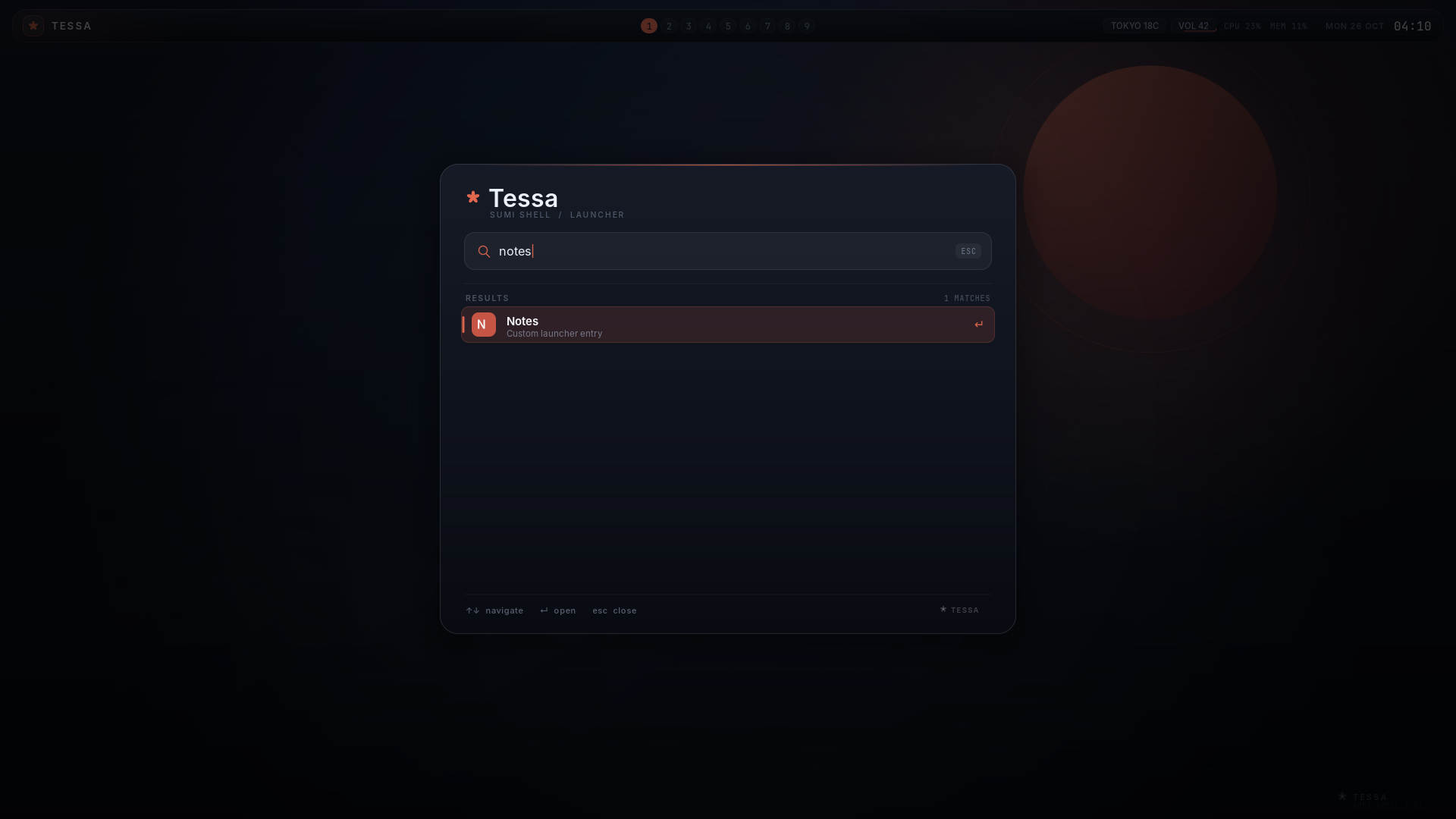
launcher_entry = Notes | foot -e nvim ~/notes.mdlauncher_entry = Lock screen | swaylockThe name is matched by the normal launcher search; the command after | runs
through /bin/sh. The panel reloads its config when the compositor emits
config-reload, so Super+R updates both sides.
Configuration files may include other files:
include = /home/you/.config/tessa/keybindings.confinclude = /home/you/.config/tessa/launcher-entries.confRelative includes are resolved next to the including file. Includes are limited to eight levels. Do not create an include cycle.
Example
Section titled “Example”examples/active-window.sh subscribes to
window-focus and publishes the focused title as the active status entry.
Run it from a terminal started by Tessa:
sh examples/active-window.shTesting an extension
Section titled “Testing an extension”The repository includes self-contained headless tests:
./scripts/build.shsh tests/extensions.shsh tests/extension-api.shsh tests/smoke.shtests/extension-api.sh exercises the stable v1 contract: fail-closed HELLO,
scope checks, subscription reset, token rotation/revocation, ready timeout,
after ordering, and JSON diagnostics. See
EXTENSION-API.md for the contract itself.
tests/smoke.sh checks config includes, startup/workspace/config-reload hooks,
the event stream, status set/clear, IPC half-close behavior, and (when foot
is installed) window lifecycle events. TESSA_CTL_DEBUG=1 tessa-ctl events
prints received lines to stderr.
Current limits
Section titled “Current limits”JSON snapshots are versioned with schema: 1. JSON-RPC provides read methods,
request ids, capability negotiation, and JSON event subscriptions, but mutation
still uses the line command plane. Extensions have dependency ordering and
cooperative token scopes, but no sandbox, signature, marketplace, or persistent
per-extension settings form; extension-enable is runtime-only. Fire-and-forget
commands have no acknowledgement. Status entries are text-only. Layout-helper
responses are complete snapshots; partial streaming rectangle updates are not
supported. There is no per-window GPU shader hook in the stock wlroots scene
API; the effect helper adjusts declared visual and animation properties only.
The next shader step is a long-lived background-frame process, and per-window
shaders require a custom renderer design.